 OpsCommand
For your role · Customer support
For customer support. Answers for customers, while it is being fixed.
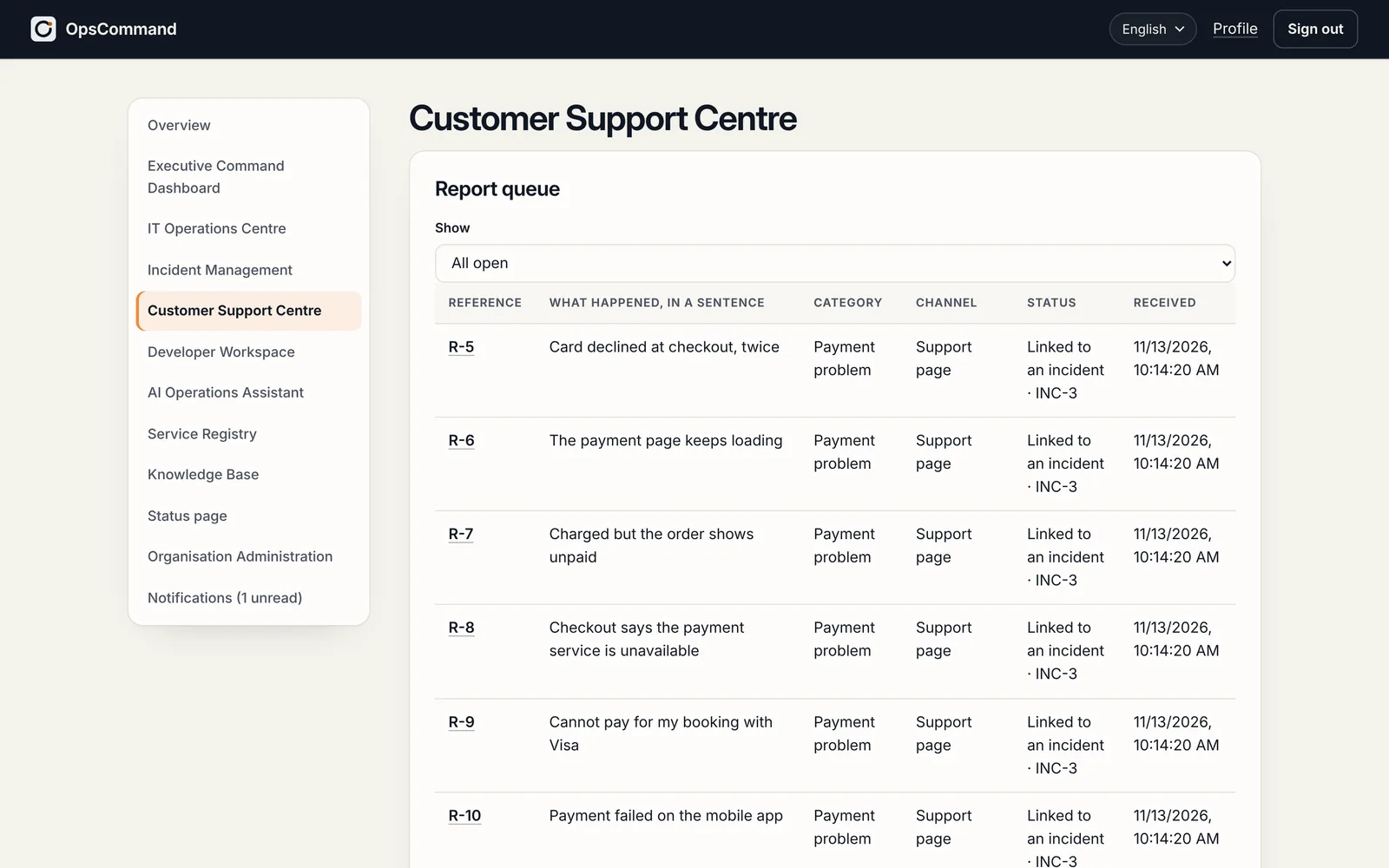
Customers come to you first. OpsCommand puts their reports into the incident, so you can see what is wrong and tell them how it is going.
Today, and with OpsCommand
What changes for your team.
Today
- Customers report a problem you cannot see in any of your tools.
- You chase engineers in chat for an update to pass on.
- The same question arrives again and again during an outage.
With OpsCommand
- 01
Reports join the incident
Reports from the report-a-problem widget and by e-mail are grouped into the incident they belong to.
- 02
Status you can share
A status page on your own domain, and private tracking links for the customers who reported.
- 03
Progress without chasing
The incident’s owner, stage and timeline, in the same record engineering works from.
- 04
Known answers ready
What was learnt is offered from the knowledge base when it happens again.
Getting started
Where you start.
- 01
Add the report-a-problem widget to your website
- 02
Set up your status page on your own domain
- 03
Bring customer reports into one queue
The areas you work in.
See OpsCommand on your own services.
A 45-minute walkthrough with the people who run your services: one incident, from first alert to verified fix.
